How to find YouTubers to play your indie game
For most indie games, the most effective marketing is getting the right YouTubers and streamers to play them. The hard part is not sending emails. It is finding creators whose audience actually wants a game like yours, then reaching them in a way they will read.
This guide walks through the process we recommend, whether you do it by hand or with a tool.
1. Start from games similar to yours
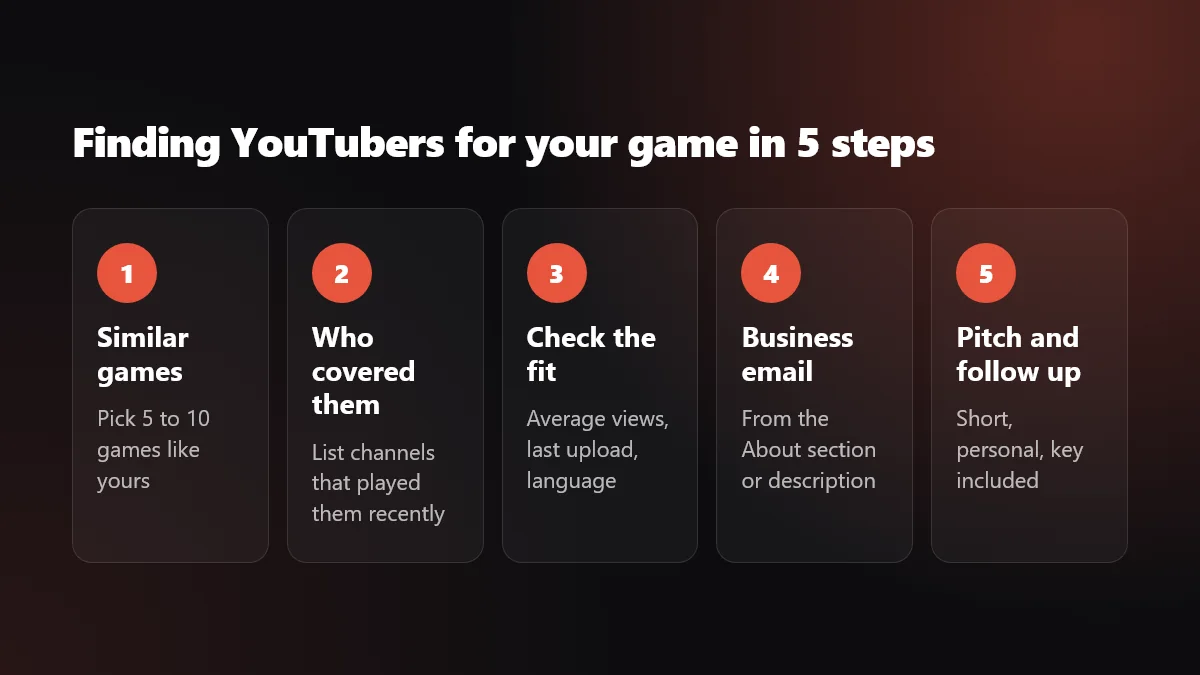
Do not search for "indie game YouTubers". Search for the games your players already love. Pick five to ten titles that share your genre, art style or core loop, ideally ones released in the last two years.
Creators who covered those games recently have already shown that their audience likes what you are making. That is a far better signal than subscriber count.
2. Build a list of creators who covered them
Search YouTube for each game name plus words like "gameplay", "first look", "demo" or "let's play". Open Filters and set upload date to this year, so you only see channels that are active now. Note every channel that shows up for two or more of your similar games: that overlap is your best shortlist.
For Twitch streamers the method is different, because Twitch has no search by past games. See our guide to finding Twitch streamers.
Doing this by hand takes hours per game. A game marketing tool like Launch Air does it in one search: type a similar game and get the YouTube and Twitch creators who covered it, ranked by relevance.
3. Check that each creator fits
- Average views matter more than subscribers. A channel with 20K subscribers and 8K views per video beats one with 200K subscribers and 3K views.
- Check the last upload date. Channels that have not posted in months rarely reply.
- Look at language and country if your game is not localized.
- Watch a minute of a recent video. Would your game fit on that channel?
4. Find a business email
Most YouTubers list a business email on their channel. Open the channel description (the "more" link under the channel name) and look for an email, or a "View email address" button, which shows the email after a quick check. Some list it in the video descriptions or on a linked website instead.
Avoid comments and DMs for the first contact if an email exists, since many creators only check their business inbox for pitches.
5. Pitch personally, then follow up
Keep the email short: who you are, what the game is in one line, why it fits their channel, a trailer link, and an offer of a Steam key. Mention a specific video of theirs so it is clear you are not mass mailing.
Most replies come after a follow-up, not the first email. Send one gentle follow-up after three to five days and a final one about a week later. See our outreach email templates for wording that works.
Do it in one place
Launch Air puts this whole process in one tool: search creators by similar games, see views, last upload and contact email, send personal emails from your own inbox with automatic follow-ups, and track which Steam keys get activated. It is free to start.
Frequently asked questions
How do I find YouTubers to play my indie game?
Start from five to ten games similar to yours, search YouTube for each one with words like gameplay or first look, filter to uploads from this year and shortlist the channels that covered two or more of them. Then check their recent views and find the business email on their channel.
What size YouTuber should I contact?
Small and mid-sized channels that covered a game like yours recently. Average views on recent videos matter more than subscribers, and smaller creators reply more often.
Should I pay YouTubers to play my game?
Not at first. Most indie coverage comes from sending a free Steam key to creators who already like your genre. Consider paid sponsorships only after you know which creators and audiences convert into wishlists.
Try Launch Air free
Find creators for your game, email them from your own inbox and track every Steam key. Free to start, no credit card.
Get Started Free