How to find Twitch streamers to play your indie game
Twitch works differently from YouTube. A stream is live, often two to four hours long, and the chat reacts to your game in real time. Viewers who like what they see can wishlist or buy while the stream is still running. The catch is that Twitch has no search by past games, so finding the right streamers takes a different method.
This guide covers how to find streamers in your genre, how to check their real reach, where to find contact details and what to put in a pitch for a streamer. For YouTube, see our guide to finding YouTubers.
Twitch or YouTube: which suits your game
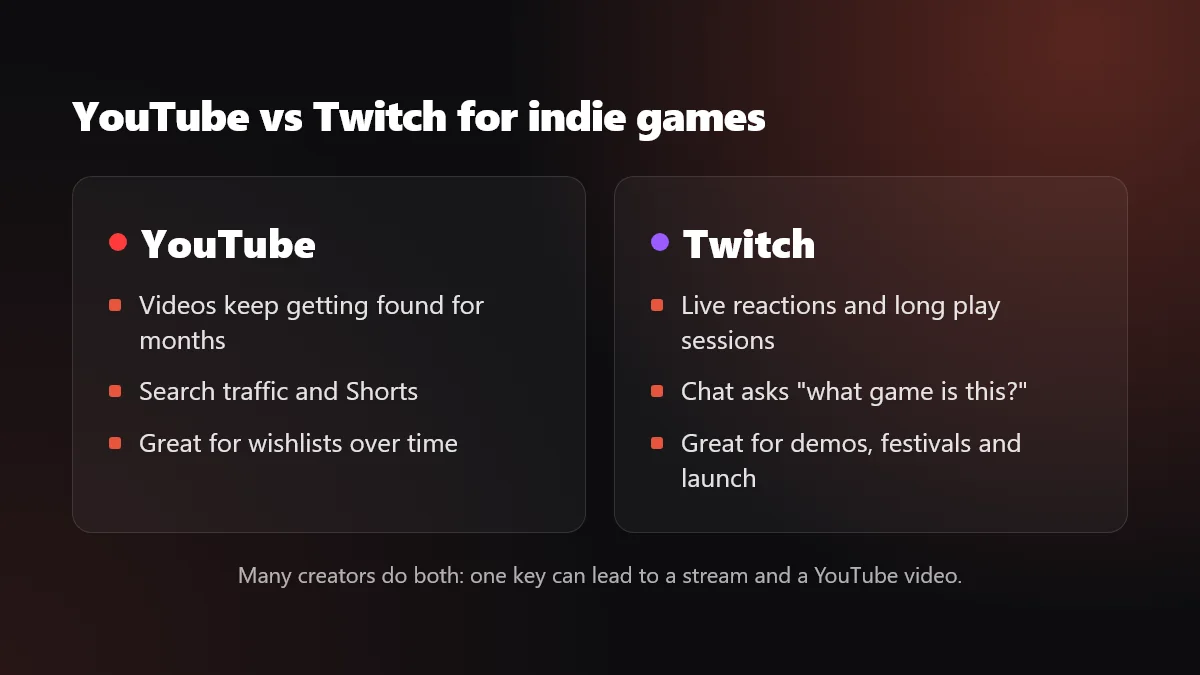
- Twitch suits games that are fun to watch live: horror, roguelikes, co-op chaos, games with surprising moments or strong chat interaction.
- YouTube suits games that make a good edited video or short, and it keeps bringing in views for months through search.
- Many streamers also upload highlights to YouTube, so one key can lead to both a stream and a video.
1. Browse the categories of games similar to yours
Pick five to ten games similar to yours and open each one's category page on Twitch. Change the sort to viewers from low to high, so you see small and mid-sized channels instead of only the biggest ones. Filter by language if your game is not localized.
Check the same categories at different times of day and on different days. Streamers in other time zones only show up when they are live.
2. Use stats sites to see who streamed those games
Twitch statistics sites such as SullyGnome and TwitchTracker show which channels streamed a given game, plus each channel's average viewers and how often it streams. This finds streamers who played a similar game last month, even if they are not live right now.
Doing this by hand takes a while per game. Launch Air searches Twitch and YouTube together: type a similar game and get the creators who covered it, with followers, language, country and a contact email when one is public.
3. Check average viewers, not followers
- Average concurrent viewers is the number that matters. A channel with 50,000 followers and 40 viewers reaches fewer people than one with 5,000 followers and 150 viewers.
- Around 10 to 300 average viewers is the sweet spot for indie games. These streamers try new games often, read their messages and their chat is small enough to talk about your game.
- Look for a regular schedule. A streamer who goes live three or more times a week is more likely to fit you in.
- Check whether they play new and indie games, not only one big title. Variety streamers are much more open to pitches.
- Watch a few minutes of a past broadcast. Would your game fit the mood of the channel and its chat?
4. Find their contact details
Most streamers list a business email in the panels below the stream or on their channel About page. Some link a Discord server, X account or a contact form instead.
Use email when one is listed, since that is where streamers expect business messages. Avoid pitching in their chat or whispers. If only Discord or X is listed, a short polite message there is fine.
5. Pitch for a stream, not a video
- Say how long the game or demo takes to play. Streamers plan sessions, and "about two hours" helps them slot it in.
- Say whether the game is stream safe. If you use licensed music, add a setting to turn it off and mention it, because streamers avoid copyright strikes.
- Include a Steam key in the first email, plus your Steam page, trailer and press kit.
- Offer to join the chat during the stream if they would like. Many streamers enjoy having the developer around.
- Follow up once or twice if there is no reply, then stop. Our outreach email templates have the exact wording we used.
After the stream
- Thank the streamer and clip a highlight to share on your socials, with credit.
- Past broadcasts on Twitch expire after a limited time, so save links to clips you want to keep.
- Compare the stream date with your daily wishlists in Steamworks to see what it did.
- Add streamers who covered you to a list for your next update, demo or launch.
Frequently asked questions
How do I find Twitch streamers who play indie games?
Open the Twitch categories of games similar to yours, sort by viewers from low to high, and note the channels streaming them. Stats sites such as SullyGnome and TwitchTracker show who streamed a game in the past and their average viewers.
What size Twitch streamer should an indie developer contact?
Streamers with around 10 to 300 average viewers are the best fit for most indie games. They try new games more often, reply to messages and have chats where viewers actually talk about the game.
Should I email or DM a Twitch streamer?
Email, if a business email is listed in their panels or About page. Use Discord or X only when no email is listed, and never pitch in their stream chat.
Try Launch Air free
Find creators for your game, email them from your own inbox and track every Steam key. Free to start, no credit card.
Get Started Free